

Can You Launch an App with Zero Coding Experience? My Gritty Solo App Development Journey with Manager Claude (From Blueprint to Build)
These days, developer communities and tech YouTube channels are flooded with catchy phrases like:
- “Build an app in 10 minutes with AI!”
- “Launch a product effortlessly using AI coding.”
However, when a complete beginner who doesn’t know the first thing about coding actually jumps into the battlefield of solo app development, they quickly realize those promises are nothing but sweet exaggerations.
I too found myself pulling all-nighters right from the start, utterly overwhelmed. If it weren’t for Manager Claude—the absolute MVP and only other member of my development team—I probably would have smashed my keyboard and given up on day one.
In this post, I want to share a raw, honest look into how a coding novice put an AI to work and turned a vague idea into a real, functioning product.

📌 What on Earth is Claude Code? My Only Senior Mentor Was ‘Manager Claude’
When I first started my solo app development journey, everyone kept telling me, “Claude Code is a game-changer,” and “You must use it if you are writing code.”
Assuming it was just the name of the tool I was already using, I spent weeks working happily alongside my AI partner. It turned out I was simply using the standard, web-based Claude Pro subscription the whole time! As the old saying goes, if your head doesn’t work, your body suffers—and boy, did my lack of knowledge make my hands do extra work!
Frankly, I was a complete blank slate and had no idea what the difference between the standard version and Claude Code even was. But does the name really matter as long as the work gets done?
I officially gave my AI companion a corporate promotion, naming it Manager Claude, and appointed it as my senior mentor. Before we dive deeper, let’s take a quick look at the actual differences:
Quick Comparison: Standard vs Claude Code
- Standard Claude (Web Chat)
- Pros: Very cost-effective since you can get a massive amount of work done under the standard Pro package pricing.
- Cons: As a single chat thread grows longer, the quality of responses drops. This forces you to open a new chat window frequently and re-explain your entire project architecture from scratch.
- Claude Code (Terminal Interface)
- Pros: A specialized tool that connects directly to your computer’s terminal. It allows the AI to navigate your project directory and directly edit files for you.
- Cons: The standard Pro package limits you to just a couple of minor task fixes before running out of juice. You have to upgrade to a much more expensive usage tier.
Returning to my story, the biggest hurdle when trying to learn Flutter from scratch wasn’t necessarily the complexity of the code itself.
Because my AI usage limits refreshed every five hours and weekly credits were strictly capped, I had a fierce determination not to waste a single prompt on useless syntax errors. I realized that mapping out a bulletproof architectural blueprint—answering exactly how my desired features would logically interact—was far more critical.
I resisted the urge to just whine and demand random code snippets. The very first step to keeping my solo app development costs low was meticulous, disciplined planning.
Step 1: Mapping Out the Execution Blueprint Before Touching Code
I sat down with Manager Claude and conducted what felt like an intense cross-examination to completely solidify the user behavior patterns, user experience (UX) flows, and core application logic. The checklist of questions I hammered out looked like this:
- Does the app I want to build actually hold viable market value?
- What unique differentiators can I implement to gain a competitive advantage?
- What exact features do I want to include in the initial release?
- What kind of data structures are required on the backend to make this feature a reality?
- When a user taps a specific button on the screen, what exact sequence of operations triggers under the hood?
- What edge cases or unusual user behaviors could break the application?
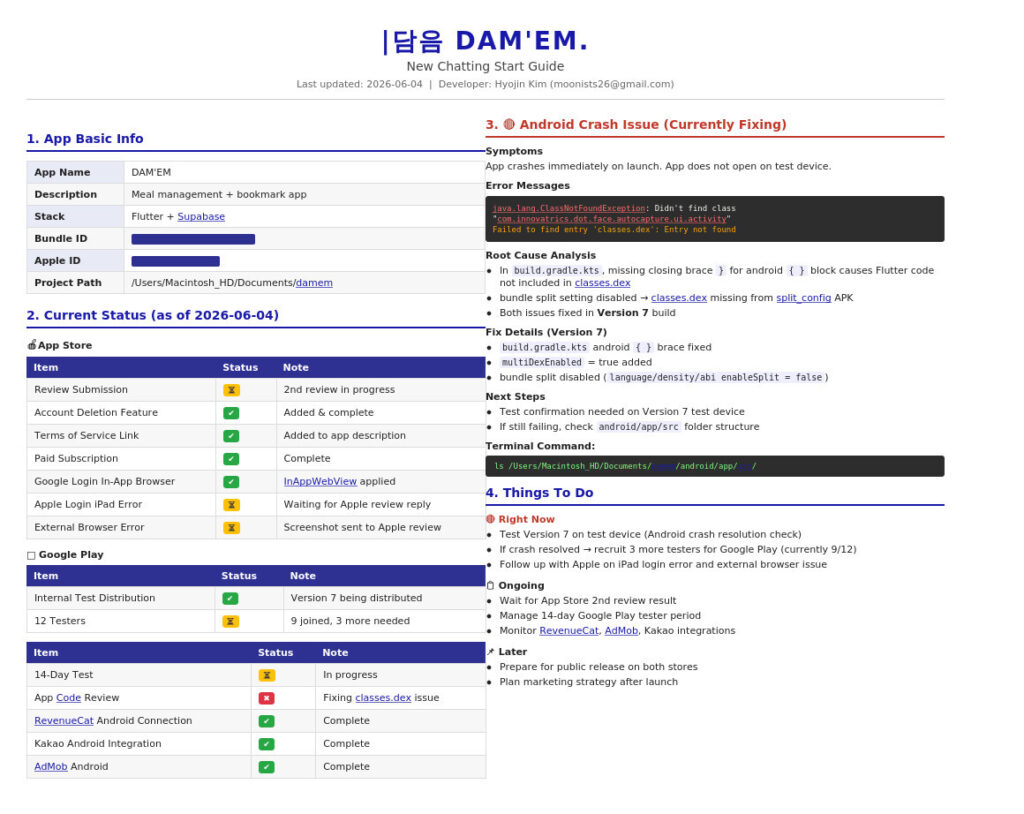
We broke down these problems across what felt like consecutive marathon meetings with my AI supervisor. Together, we built a highly detailed ‘execution blueprint’ before writing a single line of software. If we hadn’t established this rock-solid foundation, the code would have eventually tangled into an unmanageable mess.
Furthermore, because the standard AI interface loses accuracy when conversations drag on, I wrapped up this phase by telling it: “Take everything we just discussed and compile it into a comprehensive, structured master prompt script.” Carrying this blueprint document into subsequent chats was my absolute first step before starting any actual AI coding.
📌 “Find This Section in This File and Swap It” – The Reality of AI Coding
With the blueprint ready, it was time to initiate the actual AI coding phase. To be completely honest, the initial setup was deceptively easy. Manager Claude generated the baseline boilerplate structures, and all I had to do wWith the blueprint ready, it was time to initiate the actual AI coding phase. To be completely honest, the initial setup was deceptively easy. My AI supervisor generated the baseline boilerplate structures, and all I had to do was copy, paste, and create the initial files.
The real wall of reality hit me hard during the subsequent feature iteration and optimization cycles.
Testing these builds through the Xcode simulator revealed an endless parade of bugs and required tweaks. Because swapping out an entire file often broke separate dependencies, I had to surgically alter specific lines buried deep within the files. Consequently, my primary operational prompt for interacting with Manager Claude boiled down to a single, repetitive command:
🗣️ “I am a complete coding beginner. Whether we are fixing a bug or adding a new feature, look at my current project file, find exactly ‘this specific section,’ and give me only the precise code block I need to replace it with.”
This became the core routine of my entire workflow. Every single time I opened a new chat window, I included this exact instruction as a default rule. Once Manager Claude pinpointed and outputted the tailored snippet, my main job transformed into scanning my IDE with hyper-focused eyes, copying the fix, and pasting it into the exact right line.
Markdown
[The Non-Coder's Infinite Loop of Doom]
1. Open the relevant application file in the IDE.
2. Locate the specific section and replace it with the code provided by Manager Claude.
3. Fire up Xcode and run the project inside the simulator to test it.
4. Stare in horror at a bright red error/crash screen.
5. Copy the entire error log, dump it back to Manager Claude, and repeat the process.
It was an endless, grueling loop. Dozens of times a day, I swung violently between the pure euphoria of watching the app boot up successfully and the absolute despair of hitting a catastrophic error message. Yet, by dissecting and manually modifying these files line by line, something unexpected happened. Even as someone with zero formal training, I naturally began to understand the architecture: “Ah, this file handles this specific interface layout,” and “This logic is how this component speaks to the backend database.” If I had tried to learn Flutter through a dense textbook or an abstract online course, I would have thrown the book out the window within three days. But by slamming my head directly against real, practical problems on my screen, I somehow made it work.
Against all odds, the app I built through this very process—Damem—has officially launched on the App Store! 👉 Check out Damem on the iOS App Store
📌 For a Solo Developer, AI is Not a Replacement—It’s Your Pacesetter
In conclusion, my personal experience with AI-assisted software building taught me that AI is absolutely not a magic tool that says, “Sit back while I build your app for you.” Instead, it acts as an incredibly intelligent, tireless pacesetter that keeps you moving in the right direction and prevents you from burning out. If I had approached this project lazily, ignoring the underlying logic and trying to offload everything onto the AI, the final output would have been nothing but a pile of broken, uncompilable digital garbage. It requires the developer to constantly think, iterate, and feed creative solutions back to the assistant, turning the project into a relentless tag-team effort to catch blind spots that neither could solve alone.
Though I started out as a completely clueless creator who didn’t even know what Claude Code was, pulling late-nights communicating 1-on-1 with Manager Claude allowed me to mold a raw idea into a tangible product. Even though I was still struggling to learn Flutter, this workflow provided the ultimate pathway to translating my exact vision into reality.
But make no mistake—this was merely the introductory chapter. The true nightmare wasn’t the code layout; it was waiting for me in the form of “messy web-scraped data,” “complex multilingual localization,” and the notoriously strict review guidelines enforced by Google and Apple. In the next chapter of this series, I will take you through the brutal saga of cleaning 2,000 chaotic recipe data points that nearly broke my spirit, alongside my global translation misadventures. If you are planning your own solo app development project, I highly recommend reading the next post so you can avoid walking directly into the same traps I did!
- Missed the first part of my journey? [Read the previous episode here]